

Cloud-based digital signage is a setup where the content management system (CMS) for your screens runs on the internet instead of on a server in your office. You design, schedule and publish content from a web browser, and every connected screen, in one shop or fifty, downloads it automatically.
For a Singapore business with screens in several outlets, lift lobbies or classrooms, that means no more walking around with USB sticks to change a promotion. This guide explains how cloud signage works, how it compares with an on-premise CMS, how it is usually priced, and what to check before you choose a system.
Key takeaways
- Cloud signage has four parts: the display, a media player (built in or external), a CMS hosted by the provider, and the network that connects them.
- According to Samsung, cloud-hosted CMS usually has no upfront cost and is billed as a subscription per playback device, while on-premise CMS means buying licences and servers upfront plus annual maintenance of about 10 to 20% of the initial cost.
- Cloud suits businesses with several sites and a small IT team. On-premise suits organisations with strict security rules or existing servers, such as banks, hospitals and government bodies.
- Before you buy, check offline playback, user permissions, local support, whether the screens are rated for long hours, and PDPA notices if a screen uses a camera.
What is cloud-based digital signage?
Cloud-based digital signage means your screens are managed through a CMS that the provider hosts online. Instead of installing software on your own server, you log in through a browser, upload images, videos or web content, set a schedule, and push it to screens anywhere with an internet connection. The provider looks after hosting and software updates.
The screens themselves are the same commercial displays used in any signage project: wall-mounted panels, floor-standing digital standees or LED video walls. What changes is where the "brain" of the system lives. With on-premise signage it sits on a server you own; with cloud signage it sits in the provider's data centre and you rent access to it.
How does cloud digital signage work?
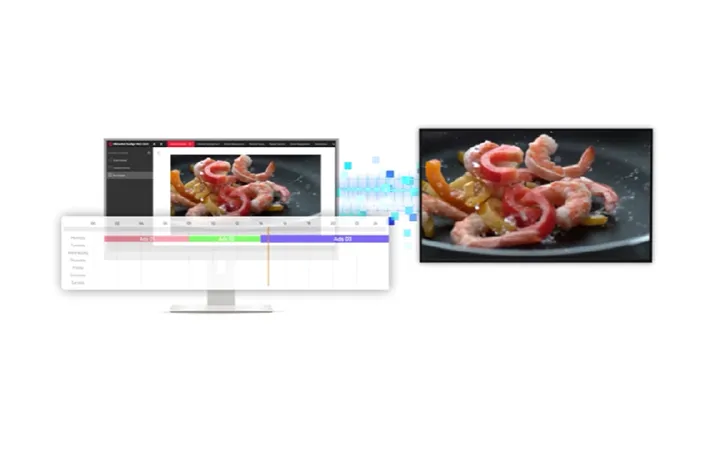
A cloud signage system works in four steps: you create content in the online CMS, assign it to a screen or group of screens, set when it should play, and each screen's media player downloads the content over the internet and plays it on schedule. Changes made in the CMS reach the screens without anyone visiting the site.
In practice, the pieces look like this:
- The display. A commercial screen built for long running hours. Vue's Hikvision wall-mounted digital signage is designed for 24/7 operation and comes in 32, 43, 50, 55 and 65-inch models.
- The media player. Many signage displays have one built in. The Hikvision wall-mounted range Vue supplies has 4GB RAM and 32GB of eMMC storage. Older screens or ordinary monitors can use a separate player box.
- The CMS. The web dashboard where you design layouts, manage media, schedule playlists and monitor screens.
- The network. Wi-Fi, wired LAN or mobile data that connects each player to the cloud.
Cloud vs on-premise digital signage: what is the difference?
The difference is who hosts and maintains the CMS. With cloud signage the provider runs it and you pay a subscription. With on-premise signage you buy the software licence and a server, install them in your own network, and your IT team maintains them. Samsung sums up the decision as a balance of security needs, control, cost and convenience.
| Factor | Cloud-hosted CMS | On-premise CMS |
|---|---|---|
| Where it runs | Provider's servers, accessed by browser | Your own server and network |
| Upfront cost | Usually none | Software licence and server hardware |
| Ongoing cost | Subscription per playback device (monthly, quarterly or annual) | Annual maintenance, usually 10 to 20% of the initial cost |
| Who maintains it | Provider (hosting and upgrades) | Your IT team (servers, networking, media storage) |
| Scaling up | Add screens to the subscription | May need more server capacity |
| Best fit | Multi-site businesses, small IT teams | Strict security rules or existing on-prem infrastructure |
Cost and maintenance points are from Samsung's guide to cloud-hosted vs on-premises signage CMS. Some platforms, such as Samsung VXT, are cloud-based but can also support on-premises environments, so it is worth asking whether you can start in the cloud and move later.
What can you do with a cloud signage CMS?
A good cloud CMS lets you design content, schedule it by time and day, send it to one screen or hundreds at once, and control the screens remotely. Hikvision's own signage platform, HikCentral FocSign, is a typical example: it combines content design, release and centralised device management in one system.
Features to expect include:
- Templates and content design, so staff can build a promotion or menu without a designer.
- Scheduling, for example a breakfast menu until 11am and a lunch menu after, or a weekend promotion that starts and ends by itself.
- Screen groups, so all outlets, or only the ones in a certain mall, receive the same playlist.
- Split-screen layouts, such as a video on one side and a ticker or notices on the other.
- Remote device control. Hikvision lists group commands, scheduled start-up and shutdown, remote brightness and settings changes, remote troubleshooting and mass app installation.
- Security controls, such as locking USB ports so nobody can plug in their own content.
- Reporting, so you can see which screens are online and how content performs.
What happens if the internet goes down?
That depends on whether the media player stores content locally. A player that has downloaded its schedule can keep showing it during an outage and sync again when the connection returns; one that streams live can go blank. Ask the vendor which applies, how much storage the player has, and whether you get an offline alert.
A blank screen is a poor fit for a shopfront. Also ask how large video files are sent. If you run screens on mobile data or shared building Wi-Fi, a system that downloads content once and then plays it from the player's storage will use far less bandwidth than one that streams continuously.
Who should choose cloud-based digital signage?
Cloud signage is usually the better fit when you have screens in more than one location, a small or no in-house IT team, or content that changes often. On-premise suits organisations that must keep data inside their own network or already run their own servers. Samsung gives banks, hospitals and government bodies as examples.
Typical cloud signage users in Singapore include:
- Retail chains updating promotions across outlets at the same time.
- F&B operators switching digital menu boards between breakfast, lunch and dinner.
- Schools showing notices, timetables and event screens across a campus.
- Offices and condos running lobby displays with announcements and visitor information.
- Event organisers pushing content to rented displays or LED video walls for a few days only.
You can see more use cases on Vue's solution scenarios page.
How is cloud digital signage priced?
According to Samsung, cloud CMS is typically billed as a subscription per playback device, monthly, quarterly or annually. That sits on top of the displays and installation. On-premise systems shift the cost upfront into software licences and a server, followed by yearly maintenance. Over several years, compare the total cost, not just the first invoice.
When you compare quotes, list the full cost of each option:
- the displays or LED panels, mounting and cabling;
- any separate media players;
- the CMS subscription or licence, and what it includes (users, storage, support);
- installation, content set-up and training;
- ongoing support and on-site service.
If you only need screens for a short campaign, exhibition or event, renting can be simpler than buying. See Vue's rental solutions and floor-standing digital signage for buying or renting.
What should you check before buying cloud signage in Singapore?
Check that the screens are rated for the hours you need, that the players keep playing offline, that you can set user roles, and that support is available locally when a screen fails. If any screen uses a camera for audience analytics, check how the PDPA applies to collecting images, including whether and where you need notices.
A short checklist:
- Duty cycle. Is the display rated for your opening hours, or for 24/7 use?
- Offline playback. Does content keep playing if the connection drops?
- User roles. Can head office lock the layout while outlet staff change only their own menu or notices?
- Existing screens. Can the CMS run on screens you already have, or with an add-on player?
- Security. Can you disable USB playback, limit Wi-Fi settings and control who logs in?
- Data and privacy. If screens use cameras or sensors, follow the PDPC's Advisory Guidelines on the PDPA for Selected Topics.pdf), which cover CCTV and notices.
- Local support. Who replaces a faulty unit, and how fast?
- Exit plan. If you change provider, can you export your media and keep using the screens?
How Vue Digital Signage can help
Vue Digital Signage supplies Hikvision wall-mounted and floor-standing digital signage, LED video walls and a cloud CMS and scheduling system for businesses, schools and event organisers in Singapore. You can buy or rent screens, and we can show you how content design, scheduling and remote device control work before you commit. You can read more about Vue Digital Signage.
To see it on real screens, book a demo or contact our team and tell us how many screens and locations you plan to run.
Frequently asked questions
Is cloud digital signage the same as digital signage software?
Not quite. Digital signage software is any program used to create and manage screen content. Cloud digital signage is software that the provider hosts online and you use through a browser. On-premise software does the same job but runs on your own server.
Do I need a computer next to each screen?
Usually not. Many commercial signage displays have a media player built in, such as the Hikvision wall-mounted range Vue supplies. Ordinary monitors or older screens can use a small external player instead of a full computer.
Can I manage screens in different outlets from one account?
Yes. That is the main reason businesses choose cloud signage. You can group screens by outlet, mall or region and send each group its own playlist and schedule from the same dashboard.
Can cloud signage run on screens I already own?
Often, yes, if the CMS supports the screen's operating system or you add a compatible media player. Check compatibility before you buy, and confirm that the screen is rated for the hours you need. Contact us if you want us to check your current screens.