
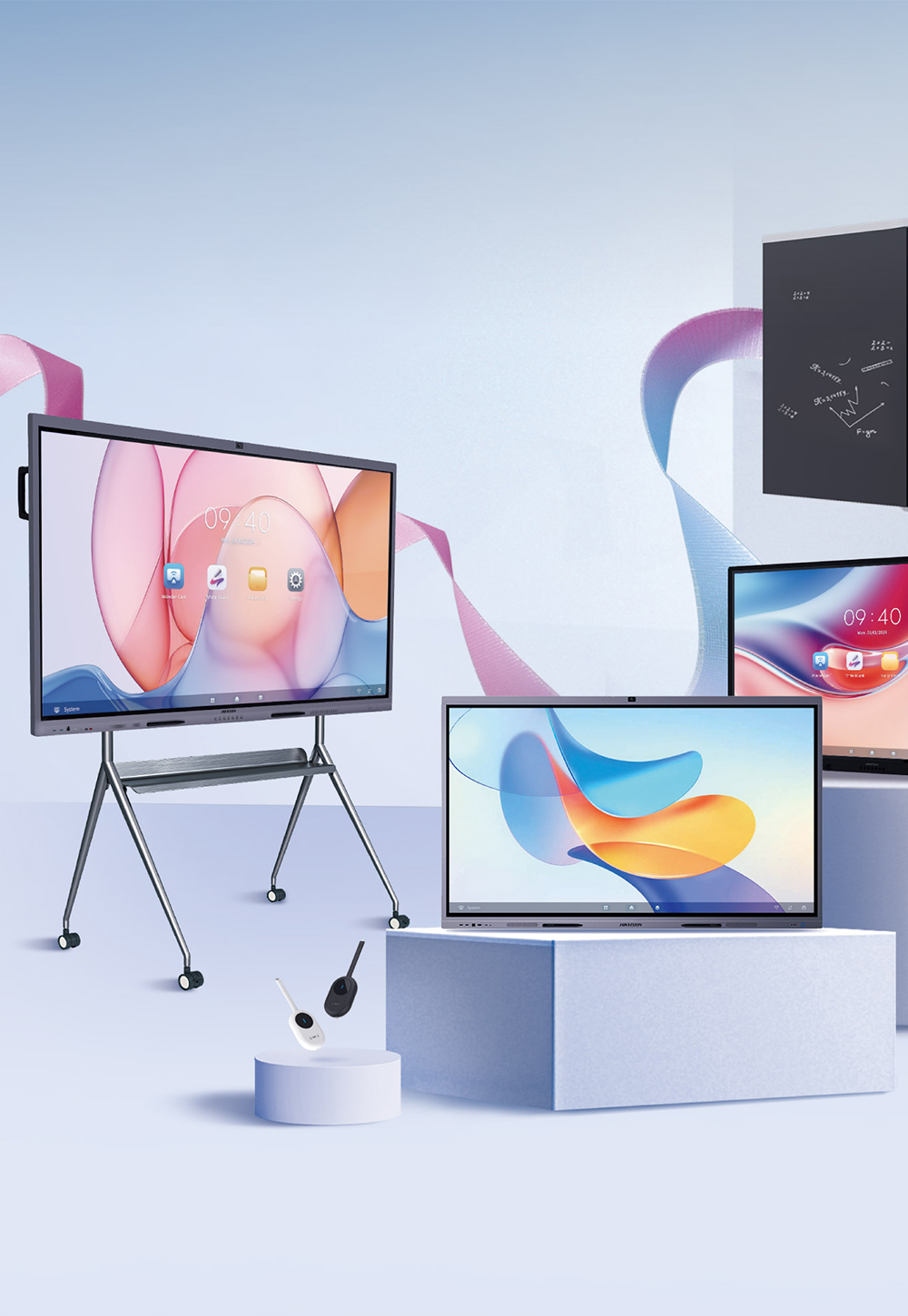
For most classrooms and meeting rooms in Singapore, an interactive flat panel (IFP) is the better choice: it stays readable with the lights on, supports many touch points, and has no lamp or filter to service. A projector still wins when you need an image larger than about 100 inches, such as in a hall or auditorium.
Many schools and offices are replacing ageing projectors and asking the same question: should the new screen be another projector, or an interactive flat panel, also called an interactive whiteboard or smart board? This guide compares the two on the points that matter day to day, using published manufacturer specifications, and ends with a simple checklist you can use for your own rooms.
Key takeaways
- Interactive flat panels emit their own light (400 to 540 cd/m² on the Hikvision Premium and Value Series panels Vue supplies), so they stay readable in bright rooms; projected images wash out when ambient light is high.
- Vue's Premium and Value Series panels are rated for 50,000 hours. Epson rates its laser projectors at up to 20,000 hours and lamp models such as the BrightLink 696Ui at up to 5,000 hours in Normal mode.
- Both series support up to 50 touch points at once; Epson's BrightLink 696Ui interactive projector supports up to 6 touch points plus 2 pens.
- Projectors remain the practical option for images above roughly 100 inches and for very large rooms.
What is the difference between an interactive flat panel and a projector?
An interactive flat panel is a large touchscreen display, usually 65 to 86 inches, with a built-in computer, speakers and often a camera and microphones. A projector throws an image onto a wall or whiteboard; it becomes interactive only with an added touch module, pens or a separate interactive board, and usually relies on a connected PC.
That difference in design drives almost every other point in this comparison. A panel is one self-contained device you switch on and use. A projector setup is a system of parts (projector, screen or board, touch hardware, computer and speakers) that each need to be installed, aligned and maintained.
Interactive flat panel vs projector at a glance
| Factor | Interactive flat panel | Projector |
|---|---|---|
| Readability with lights on | Good: the screen emits its own light | Weaker: contrast drops as room light rises |
| Typical image size | 65 to 98 inches in Vue's range (some brands up to 110) | About 70 to 100 inches (Epson BrightLink 696Ui); larger for standard projection |
| Touch | Up to 50 touch points (Premium and Value Series) | Up to 6 touch points plus 2 pens (Epson BrightLink 696Ui) |
| Rated life | 50,000 hours (Premium and Value Series) | Up to 20,000 hours (laser); 5,000 to 10,000 hours (lamp, by mode) |
| Routine maintenance | Screen cleaning, software updates | Lamp replacement (lamp models), filter cleaning, alignment |
| Built-in computer | Yes (Android 16 with Google EDLA) | Usually needs a separate PC |
| Best for | Classrooms, meeting rooms, huddle rooms | Halls, auditoriums, very large or temporary screens |
Panel figures are from the Hikvision specifications for the Premium Series (DS-D5C…RB/B2L) and Value Series (DS-D5A…RB) panels on Vue's interactive whiteboard page, for example the 86-inch Premium DS-D5C86RB/B2L and the 86-inch Value DS-D5A86RB/A3. Projector figures are from Epson's BrightLink 696Ui specifications and Epson Singapore's laser projector page.
Which is easier to read in a bright room?
An interactive flat panel is easier to read in a bright room. It produces its own light, while a projector reflects light off a surface, so any daylight or ceiling lighting falling on that surface lowers the contrast of the projected image. Many Singapore classrooms and offices have large windows and keep the lights on, which favours a panel.
Panel brightness is quoted in cd/m² (nits). The Premium Series panels Vue supplies (Hikvision DS-D5C…RB/B2L) are rated at 480 to 540 cd/m² depending on size, and the Value Series (DS-D5A…RB) at 400 cd/m², both with a 25% haze anti-glare surface. Projector brightness is quoted in lumens, which is not directly comparable because the final picture depends on screen size, screen material and room light. BenQ notes that most classroom projectors sold in North America were under 5,000 lumens, while nearly every interactive display it reviewed had at least 350 nits.
If you keep a projector, you can improve readability with blinds, a brighter laser model or an ambient-light-rejecting screen, but each adds cost and effort that a panel does not need.
How long does each last, and what maintenance is needed?
An interactive flat panel typically lasts longer and needs less upkeep. The Premium and Value Series panels Vue supplies are rated for 50,000 hours. Epson rates its laser projectors at up to 20,000 hours, measured as the time until brightness falls to half of its starting level, and its lamp-based BrightLink 696Ui at up to 5,000 hours in Normal mode or 10,000 hours in ECO mode.
- Lamp projectors: lamps dim over time and must be replaced. Many LCD projectors also need regular filter cleaning, which BenQ lists as a recurring cost.
- Laser projectors: no lamp to change. Epson Singapore states no light-source maintenance is needed up to 20,000 hours, though other parts may need replacing sooner, and running in Eco mode lowers brightness to extend life further.
- Interactive flat panels: no lamp, filter or alignment. Day-to-day care is wiping the glass and keeping the software updated.
To put the hours in context: a room used 8 hours a day, 5 days a week, for 48 weeks a year runs a display for about 1,920 hours a year. At that rate a 5,000-hour lamp lasts roughly two and a half years, a 20,000-hour laser source about ten years to half brightness, and a 50,000-hour panel well beyond a typical replacement cycle.
How do touch and writing compare?
Touch and writing are where interactive flat panels pull furthest ahead. Both the Premium and Value Series panels Vue supplies support up to 50 simultaneous touch points, so several students or colleagues can write at once. Epson lists the BrightLink 696Ui interactive projector at up to 6 touch points plus two pens.
Writing also feels different. On a panel you write directly on the glass; both series use zero lamination to reduce the gap between glass and image, which keeps the ink close to the pen tip (see our explainer on zero bonding technology). With a projector, the image sits on a board and the user stands between the light and the surface; ultra-short-throw models reduce shadows but do not remove them entirely.
Panels also bring built-in apps. Vue's current Premium and Value Series panels run Android 16 with Google EDLA certification, which gives access to Google Play and Google apps on the board itself. Read more in what makes Google EDLA certified interactive whiteboards special.
When is a projector still the better choice?
A projector is still the better choice when you need a very large image or a temporary screen. ViewSonic describes interactive flat panels as typically available up to 110 inches and projectors up to 300 inches, and suggests a projector for displays over 100 inches.
- School halls, lecture theatres and auditoriums, where the back row sits too far from an 86-inch screen.
- Events and seminars that need a big image for a day or two. For these, an LED video wall or a rented display is often a better fit than buying either option; see our rental solutions.
- Rooms with very limited budget where only a picture is needed and touch is not used.
What does each cost over its lifetime?
Compare total cost over the years you plan to use the screen, not just the purchase price. A projector is often cheaper to buy, but an interactive setup can add a touch module, a board or screen, a PC, speakers and mounting, then replacement lamps and filter care over time. An interactive flat panel costs more upfront but includes the computer, speakers and touch in one unit.
When you request quotes, ask each supplier to list:
- the display or projector, plus every add-on needed to make it interactive;
- installation, mounting and any electrical or cabling work;
- expected consumables over five years (lamps, filters) and the warranty terms;
- whether the solution qualifies for support such as Singapore's Productivity Solutions Grant (PSG). Our PSG interactive board page explains PSG support for WonderHub boards.
Which should a Singapore school or office choose?
Choose an interactive flat panel for rooms where people sit within a few metres of the screen and need to write, annotate or collaborate: classrooms, meeting rooms and huddle rooms. Choose a projector for halls and auditoriums, or when the image must be larger than about 100 inches.
- Room size: up to a standard classroom or boardroom, a 75- or 86-inch panel usually suits; larger spaces lean towards projection.
- Lighting: if you cannot darken the room, favour a panel.
- Interaction: if students or teams will write on the screen together, favour a panel with many touch points.
- Support effort: if there is no on-site AV technician, a panel with no lamps or filters is simpler to run.
- Duration: for a one-off event or a short project, consider renting instead of buying.
If you are comparing models rather than technologies, our interactive whiteboard brand comparison covers the main panel brands side by side.
Frequently asked questions
Is an interactive whiteboard the same as an interactive flat panel?
The terms are often used interchangeably. Older interactive whiteboards were touch-sensitive boards used with a projector; today most products sold as interactive whiteboards or smart boards are interactive flat panels, meaning a touchscreen display with a built-in computer.
Can I keep my existing projector and add touch?
Some projectors can be made interactive with a touch module or pens, and interactive ultra-short-throw projectors exist for this purpose. Check the projector's brightness and remaining lamp life first; an ageing lamp projector often costs more to keep running than expected.
What size interactive flat panel do I need?
Most classrooms and meeting rooms use 75- or 86-inch panels; 65-inch panels suit smaller huddle rooms. Vue supplies Premium and Value Series panels in 65, 75 and 86 inches, all with 4K (3840 × 2160) resolution, and the range also includes a 98-inch Hikvision model for larger rooms.
Can I rent an interactive flat panel instead of buying one?
Yes. Vue offers interactive whiteboard rental in Singapore for events and short projects. See rental solutions or contact us for availability.
The bottom line
For everyday teaching and meetings, an interactive flat panel is brighter in lit rooms, supports far more touch points and has a much longer rated life with less maintenance. A projector remains the right tool for very large images and big rooms. Match the technology to each room rather than standardising on one for every space.
Want to see the difference in person? Explore our interactive whiteboards or contact Vue Digital Signage to arrange a demo in Singapore.